
HR DELIVERY / LISTENING SERVICES
HR End Service User Feedback
Make HR easier to work with.
Listen to employees and managers who use HR services. Service-user feedback examines accessibility, responsiveness, communication and the usefulness of the support people receive.

WHAT IT IS
Make HR easier to work with.
The focus is the experience of a service, not the popularity of an HR colleague. Define what feedback relates to and when it will be requested. Keep case details and names out of free-text responses, and do not use the survey to collect confidential employee-relations case information.
Themes to consider
These are planning themes, not the approved question set or a promised scoring model.
BENEFITS TO YOUR ORGANISATION
Make the listening useful.
Use the evidence to focus a conversation, test an explanation and choose a practical improvement.
- Find where employees struggle to access or understand HR support.
- Explore response quality as well as speed.
- Prioritise improvements to communication and service handovers.
- Give HR teams a repeatable way to learn from service users.
HOW TO IMPLEMENT
A considered launch.
A clear follow-through.
Adapt this sequence to the organisation, audience and decisions the survey is intended to support.
- 01
Select the service journey and intended users: for example, recruitment support, payroll enquiries or manager advice.
- 02
Agree a short set of approved questions about the experience, avoiding identifiable case detail.
- 03
Set up the survey in Studio and choose a collection window and privacy approach appropriate to the service.
- 04
Distribute the link or QR at a relevant point in the journey. Review results when enough responses can be reported.
- 05
Assign an owner to each service improvement and revisit the same experience after the process changes.
FROM FINDING TO ACTION
What could happen next?
If users receive conflicting instructions, review the service information and ownership of handovers. Agree one clearer route and check whether users find it easier to complete their request.
Illustrative action pathway, not an example finding or claimed outcome.
RUN IT IN THE PORTAL
Your survey, in Survey Studio.
Set up the service draft, add your approved questions, review the participant journey and keep collection, reporting and actions in one place.
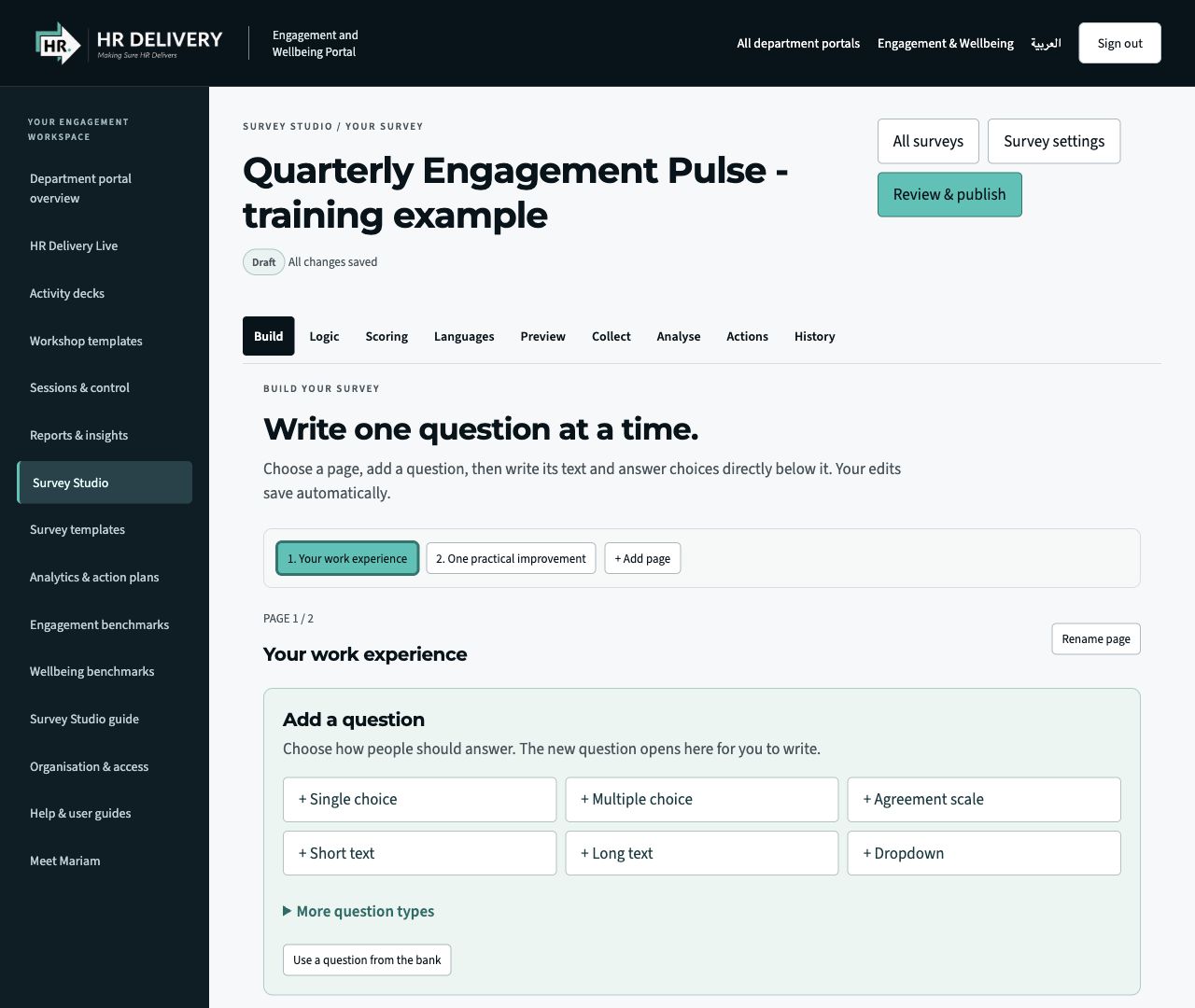
Build with clarity
Add pages and questions. Choose formats, edit the wording and preview the participant experience.
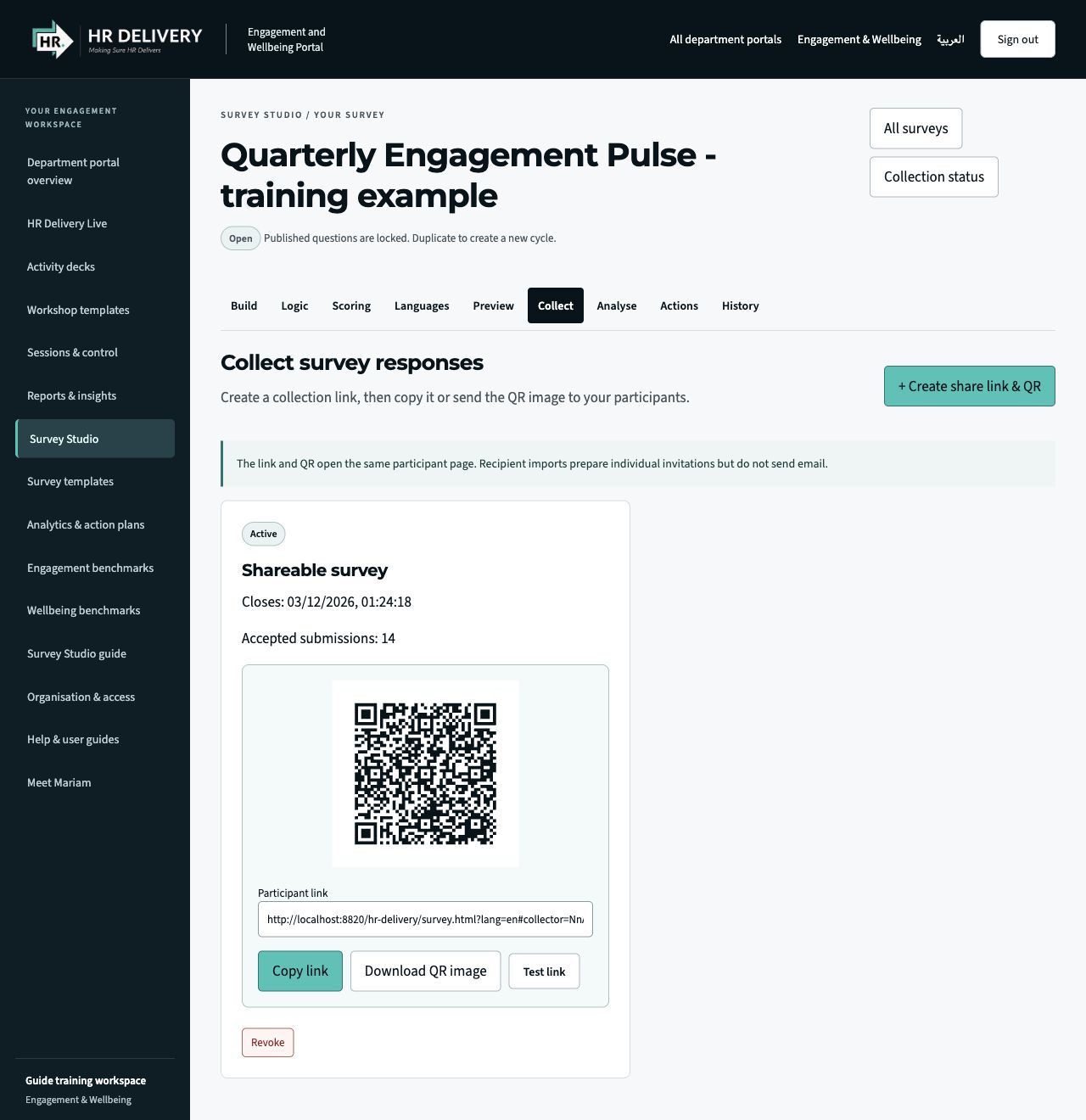
Share a link. Share a QR.
After review and publication, Collect provides a participant link and a downloadable QR image.
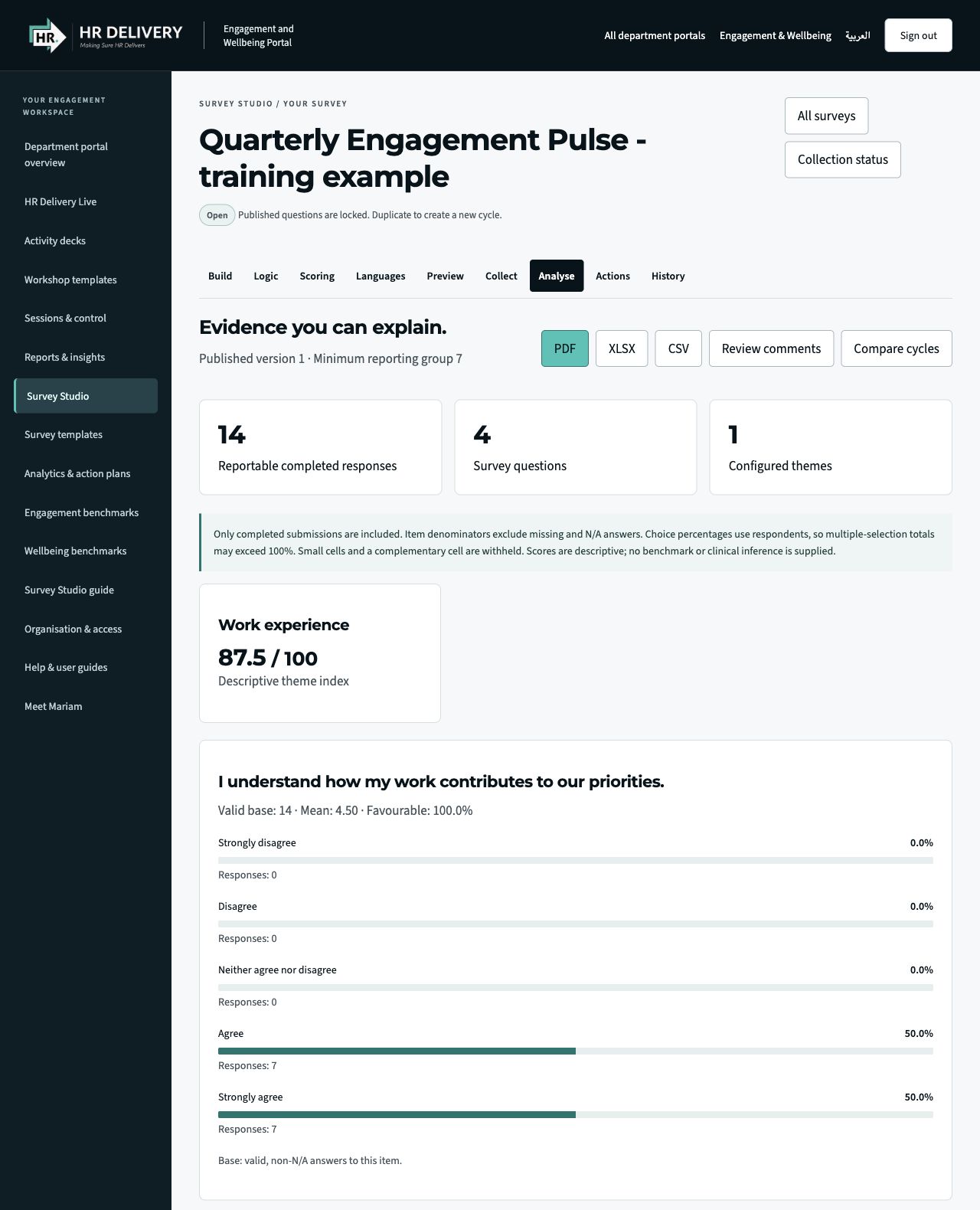
See the evidence. Plan the action.
Explore reportable patterns and descriptive scores, export aggregate reports and assign follow-up actions.
Actual Survey Studio interface in an isolated demonstration workspace. Questions, responses, figures and the pictured QR/link are illustrative, not client data or a live survey invitation. Screens show the English interface.
- 01
Define
Agree the purpose, audience and decisions the survey will inform.
- 02
Build
Create pages, choose question formats and add approved wording.
- 03
Review
Set privacy, preview the journey and approve the version to publish.
- 04
Share
Create a participant link and QR code, then collect responses.
- 05
Act
Review reportable results, agree actions and follow through.
SAMPLE REPORT / COVER PREVIEW
A place for the insight.
Ready for the full report.
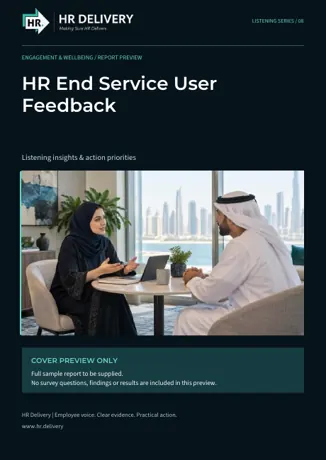
This branded front cover introduces the future sample report for this service. The download contains one cover page only. It includes no employee data, findings, scores or completed analysis.
The complete example report will be added once its content has been supplied and approved. Studio’s existing aggregate reporting functions remain separate from this preview.
Download sample reportEnglish PDF · 1 page · Cover preview only
TURN LISTENING INTO FOLLOW-THROUGH